
Is manual LinkedIn prospecting wasting your valuable time? Imagine being able to fully automate this process thanks to Claude’s artificial intelligence. In this guide, you will discover how to connect Claude to LinkedIn via Yadulink’s MCP server to transform your lead generation approach.
Why connect Claude to LinkedIn?
If you use LinkedIn to prospect at scale, you’re familiar with this process:
You are looking for profiles. You build lists. You’re trying to identify who might be interested. You write messages. You send them. Then you wait…
And finally, you try to understand what worked, without having reliable data.
The problem is simple. By the time you understand what works, it’s often too late.
Claude deletes this process.
No more spreadsheets. No more manual prospecting.
What you need
Before you start, make sure you have an active Claude Pro account, a LinkedIn account and an MCP Yadulink server URL provided after free registration.
Step-by-step configuration
Step 1 — Open Claude in your browser
Go to claude.ai or the desktop app
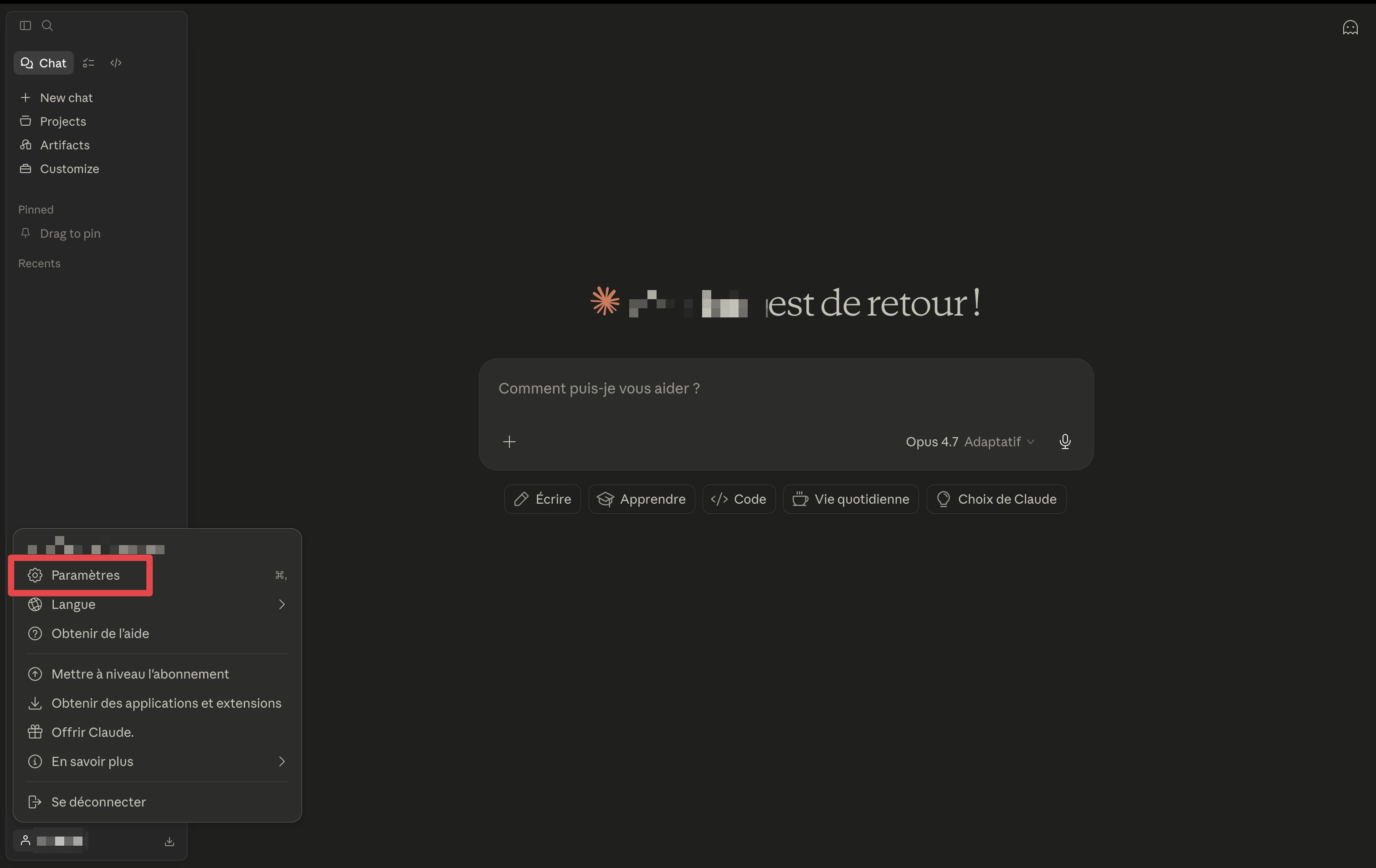
Step 2 — Open Connectors in Settings
Go to Claude’s settings and locate the connectors section.
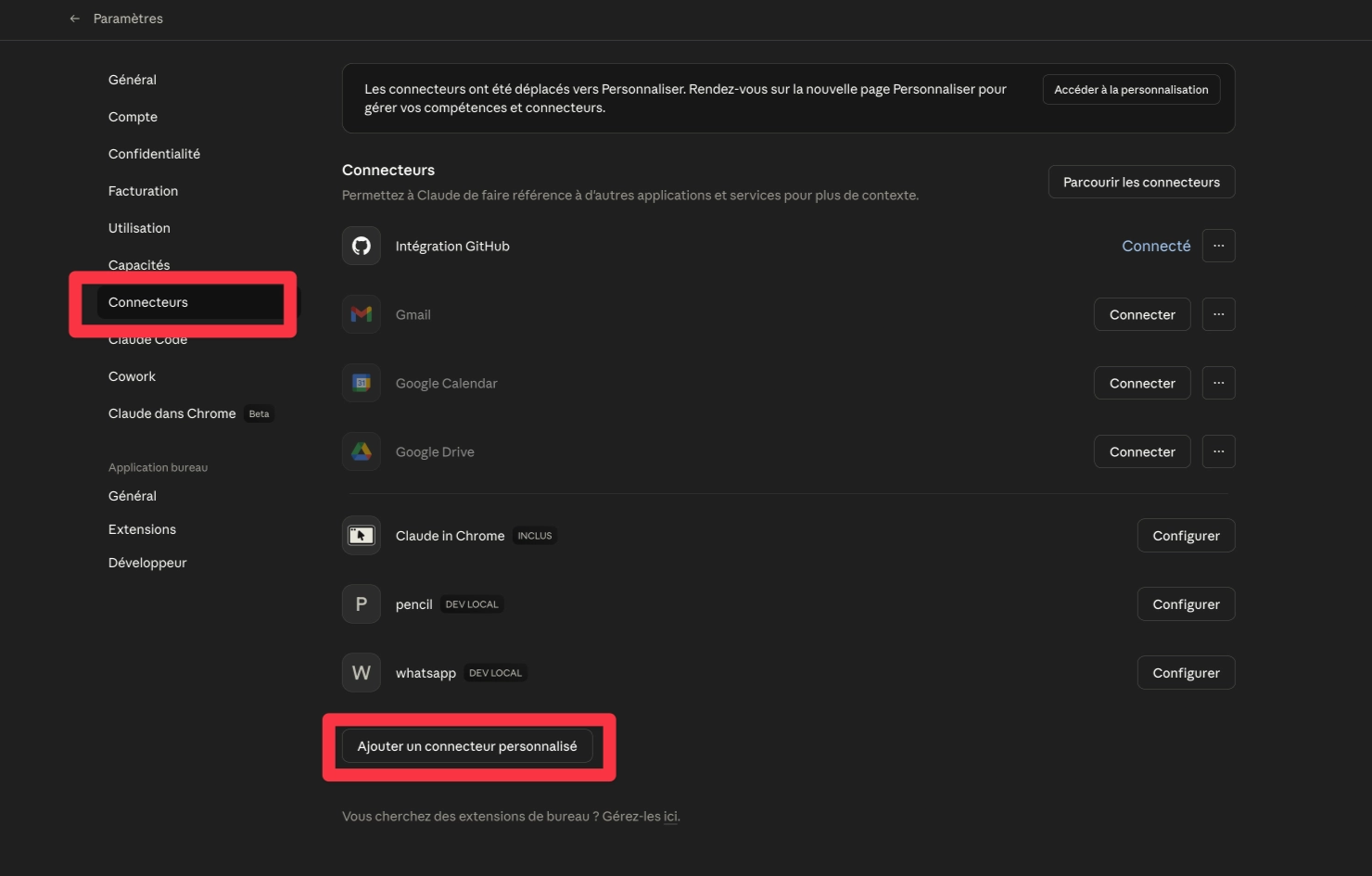
Step 3 — Add Yadulink
Give the connector a name, for example “Yadulink”.
Then paste this URL into the field provided.
https://mcp.yadulink.com/mcp/
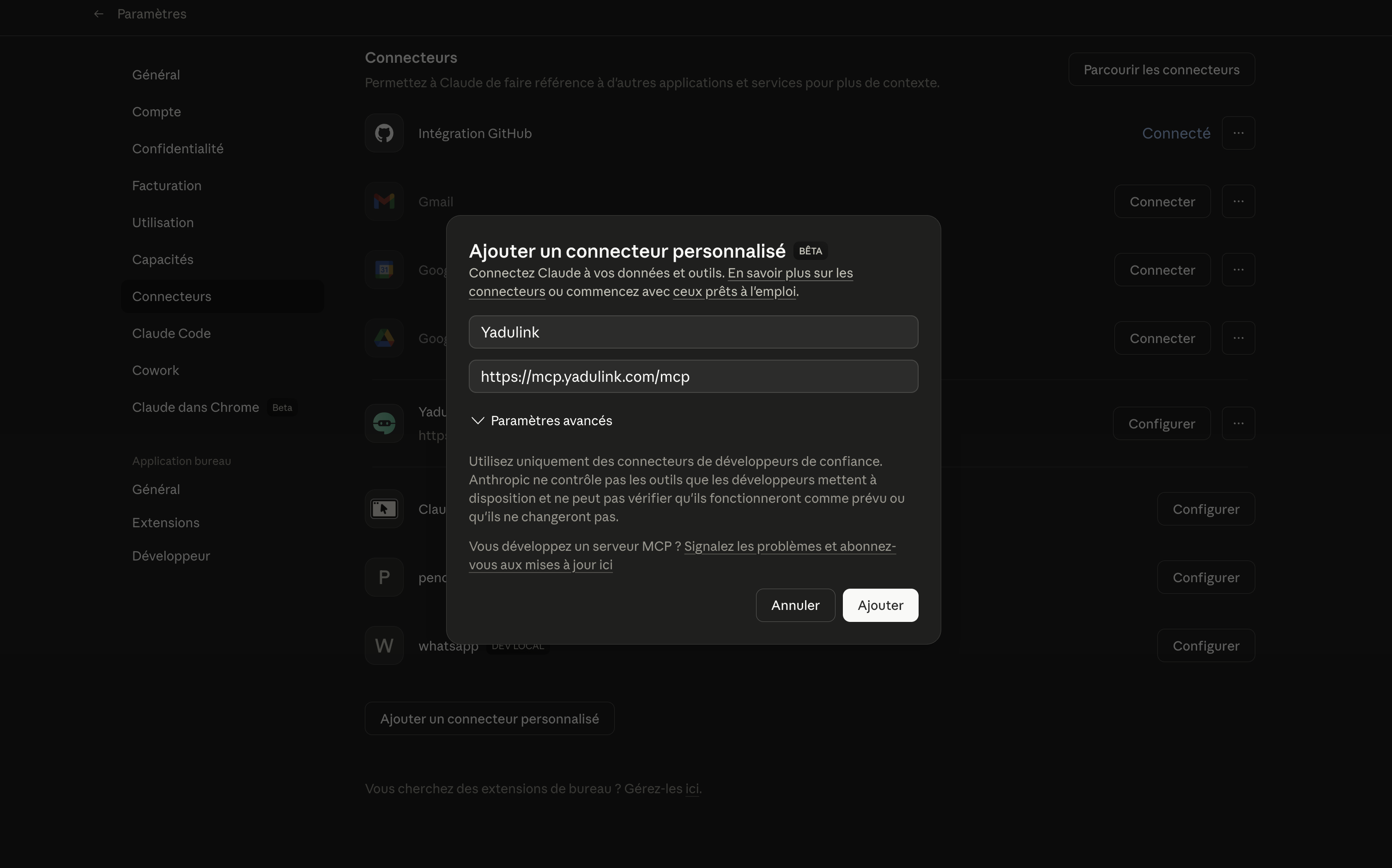
Step 4 — Connect your Yadulink account
This step establishes the connection between Claude and your Yadulink account via OAuth.
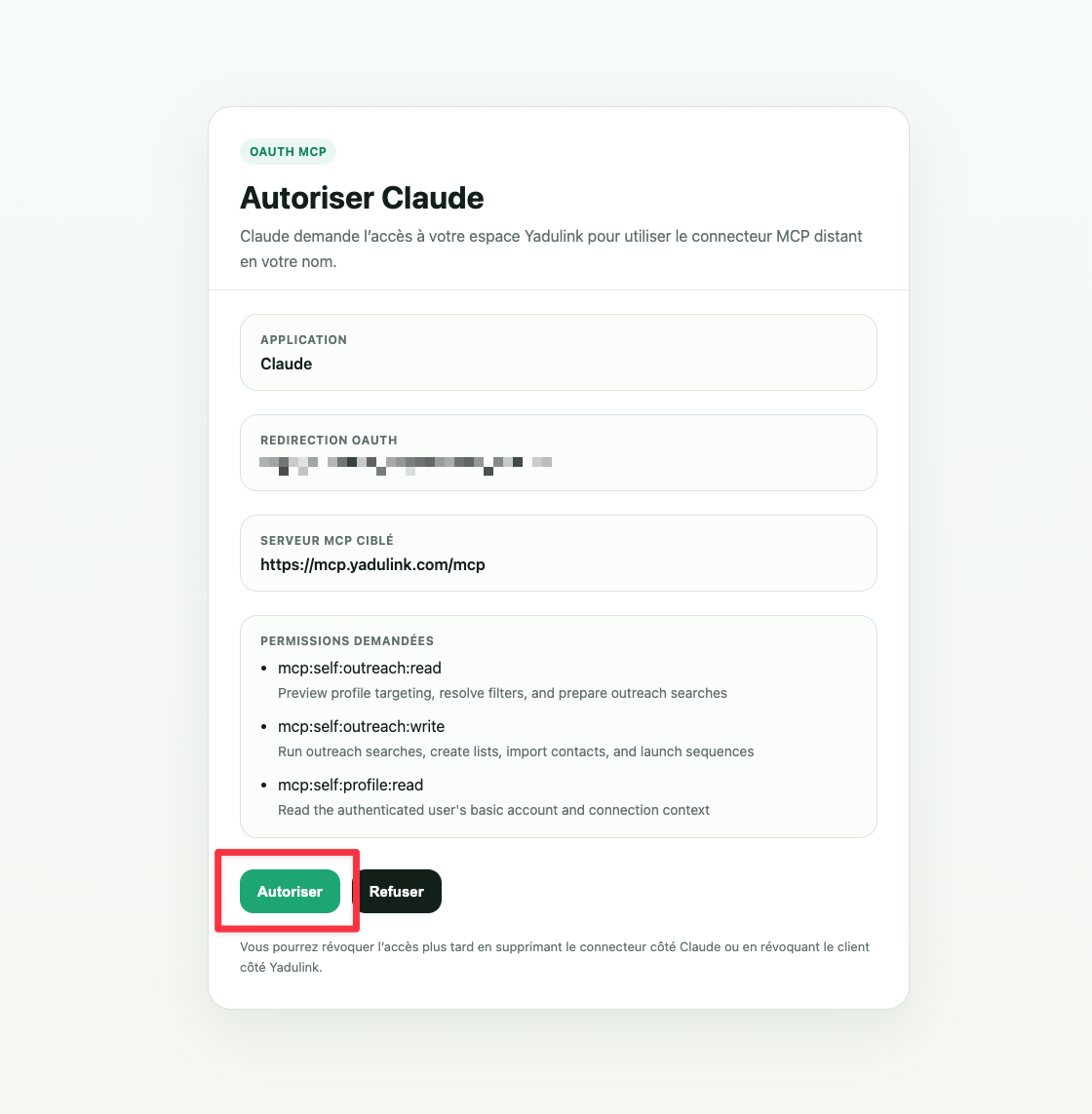
Step 5 — Accept Claude’s connection to Yadulink
Authorize Claude to access your Yadulink account to enable synchronization.
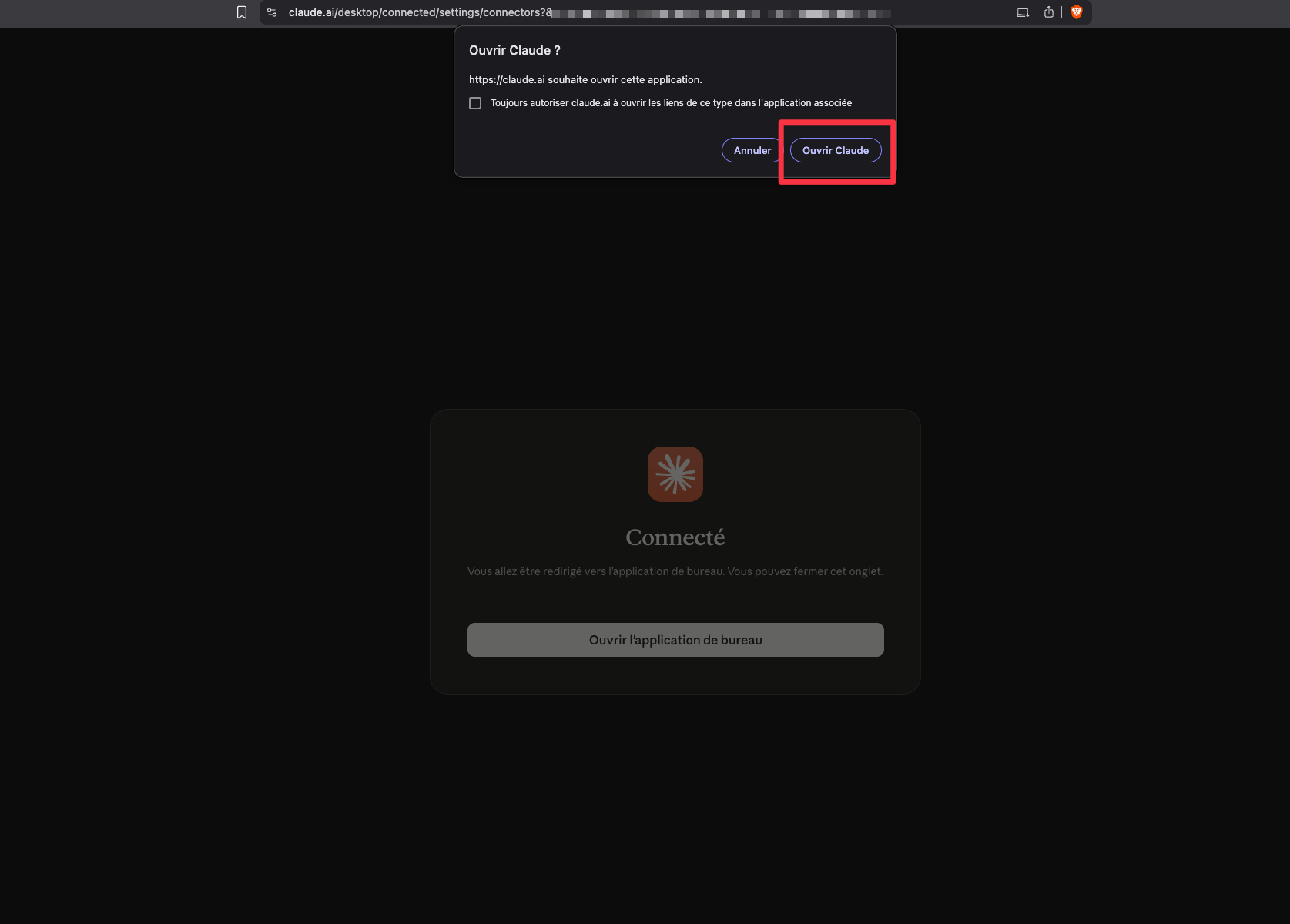
Step 6 — Return to Claude
Once authorization has been granted, return to Claude’s interface.
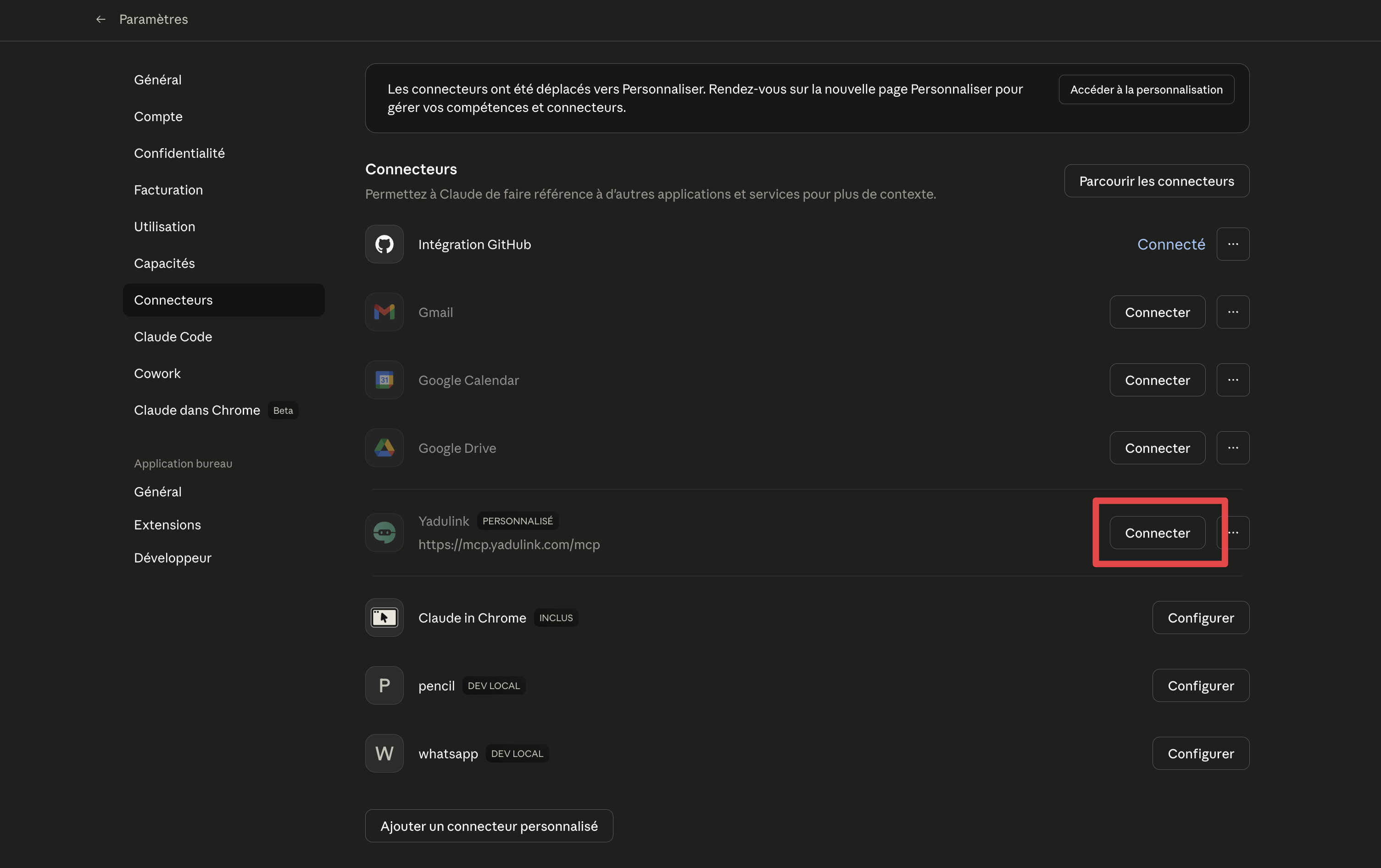
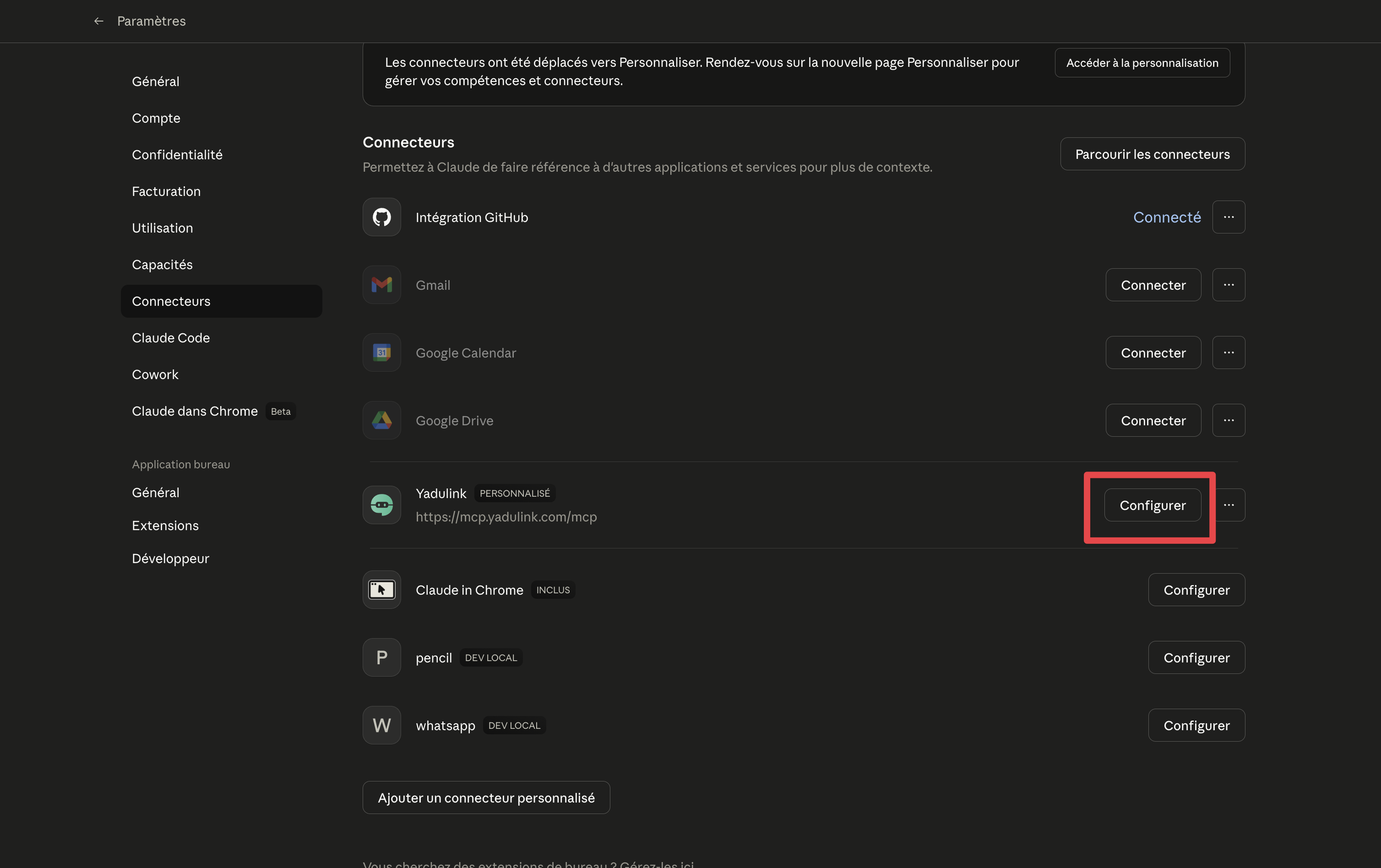
Step 7 — Verify that the button is changed to “Configure”
The status of the connector should now indicate that it is configured and ready to use.
Step 8 — Test your configuration
Then test the connection with this prompt.
uses the Yadulink connector and finds 100 marketing agencies in Paris, then targets founders. Import the contacts into a list and we will then launch a sequence
Optimize your prospecting with Yadulink
Now that Claude is connected to LinkedIn, you can fully automate your lead generation process. Yadulink allows you to go further with advanced prospecting and tracking features.
To go further, register for free on Yadulink and test the automation of your B2B prospecting with Claude.
Read next
To relate this topic to a more concrete business workflow:
-
N8n LinkedIn Integration - to connect signals to your workflows
-
Yadulink API and webhooks - to connect Yadulink to the commercial stack
-
AI agent for prospecting on LinkedIn - to move from context to the next action